useRotationContext
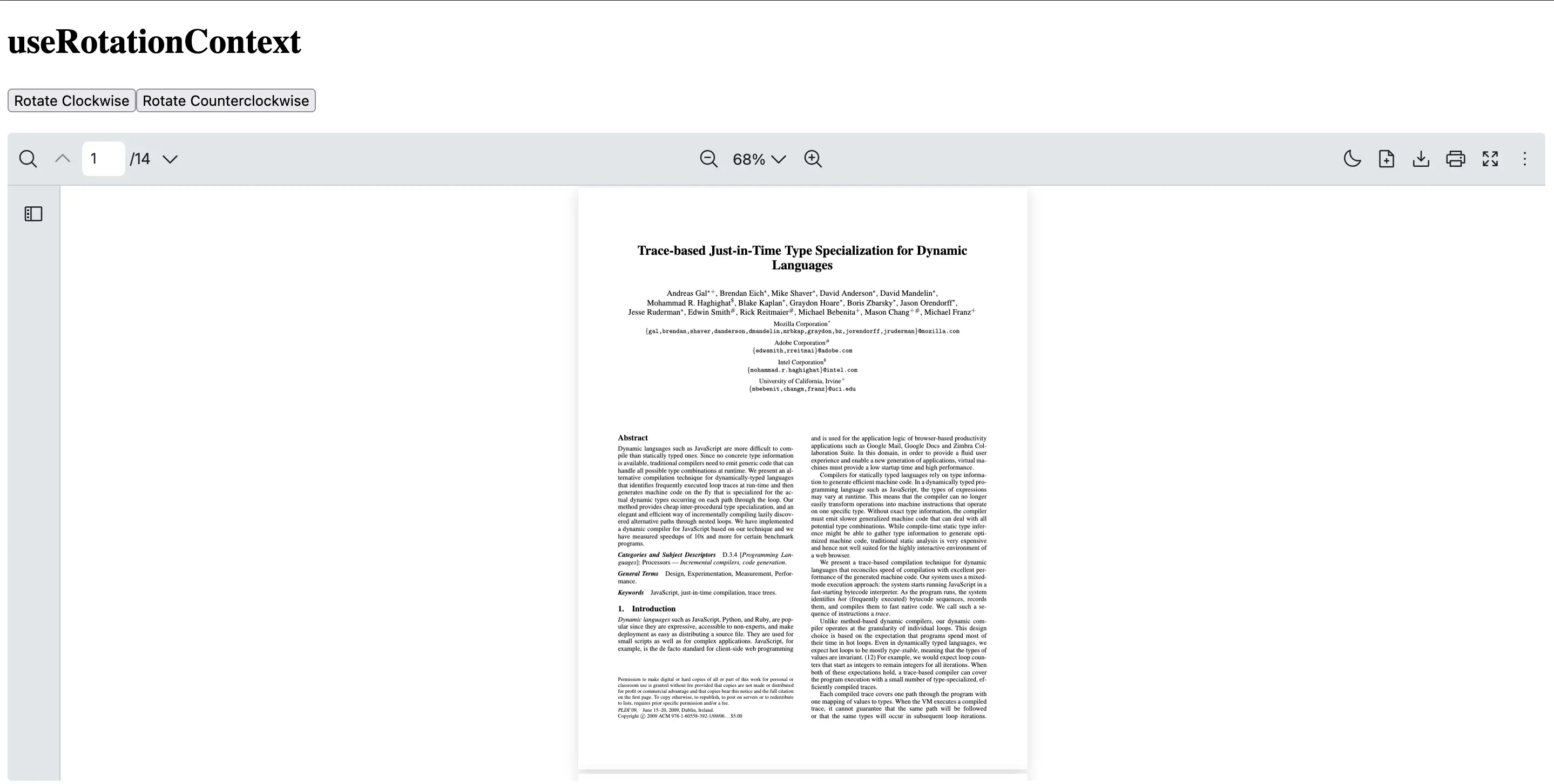
The useRotationContext hook in React PDF Kit provides access to the rotation state and functions for rotating the currently loaded PDF file within React PDF.
It enables you to create custom rotation controls or other UI elements that can trigger the rotation of the PDF file.
Return Type
Section titled “Return Type”| Name | Type | Description |
|---|---|---|
| rotate | number | Access the current rotation degree |
| setRotate | React.Dispatch<React.SetStateAction<number>> | Update the rotation degree |
To ensure the rotation context can be accessed, you will need to use useRotateContext inside a component which is a child of RPProvider.
This example shows how to create a CustomRotationLayout component which uses useRotateContext to access the PDF page’s rotation degrees
import { useCallback } from 'react'import {  RPConfig,  RPProvider,  RPLayout,  RPPages,  useRotationContext} from '@react-pdf-kit/viewer'
const CustomRotationLayout = () => {  // Consume from the controller provider  const { rotate, setRotate } = useRotationContext()
  // Rotate 90 degrees in a clockwise direction  const handleRotateClockwise = useCallback(() => {    setRotate((prev) => (prev + 90) % 360)  }, [setRotate])
  // Rotate 90 degrees in a counterclockwise direction  const handleRotateCounterclockwise = useCallback(() => {    setRotate((prev) => (prev - 90 + 360) % 360)  }, [setRotate])
  return (    <div>      <button onClick={handleRotateClockwise}>Rotate Clockwise</button>      <button onClick={handleRotateCounterclockwise}>Rotate Counterclockwise</button>    </div>  )}
export const AppPdfViewer = () => {  return (    <RPConfig licenseKey="YOUR_DOMAIN_TOKEN">      <RPProvider src="https://raw.githubusercontent.com/mozilla/pdf.js/ba2edeae/web/compressed.tracemonkey-pldi-09.pdf">        <CustomRotationLayout />        <RPLayout toolbar>          <RPPages />        </RPLayout>      </RPProvider>    </RPConfig>  )}
import { useCallback, type FC } from 'react'import { RPConfig, RPProvider, RPLayout, RPPages, useRotationContext} from '@react-pdf-kit/viewer'
const CustomRotationLayout: FC = () => { // Consume from the controller provider const { rotate, setRotate } = useRotationContext()
// Rotate 90 degrees in a clockwise direction const handleRotateClockwise = useCallback(() => { setRotate((prev) => (prev + 90) % 360) }, [setRotate])
// Rotate 90 degrees in a counterclockwise direction const handleRotateCounterclockwise = useCallback(() => { setRotate((prev) => (prev - 90 + 360) % 360) }, [setRotate])
return ( <div> <button onClick={handleRotateClockwise}>Rotate Clockwise</button> <button onClick={handleRotateCounterclockwise}>Rotate Counterclockwise</button> </div> )}
export const AppPdfViewer: FC = () => { return ( <RPConfig licenseKey="YOUR_DOMAIN_TOKEN"> <RPProvider src="https://raw.githubusercontent.com/mozilla/pdf.js/ba2edeae/web/compressed.tracemonkey-pldi-09.pdf"> <CustomRotationLayout /> <RPLayout toolbar> <RPPages /> </RPLayout> </RPProvider> </RPConfig> )}